
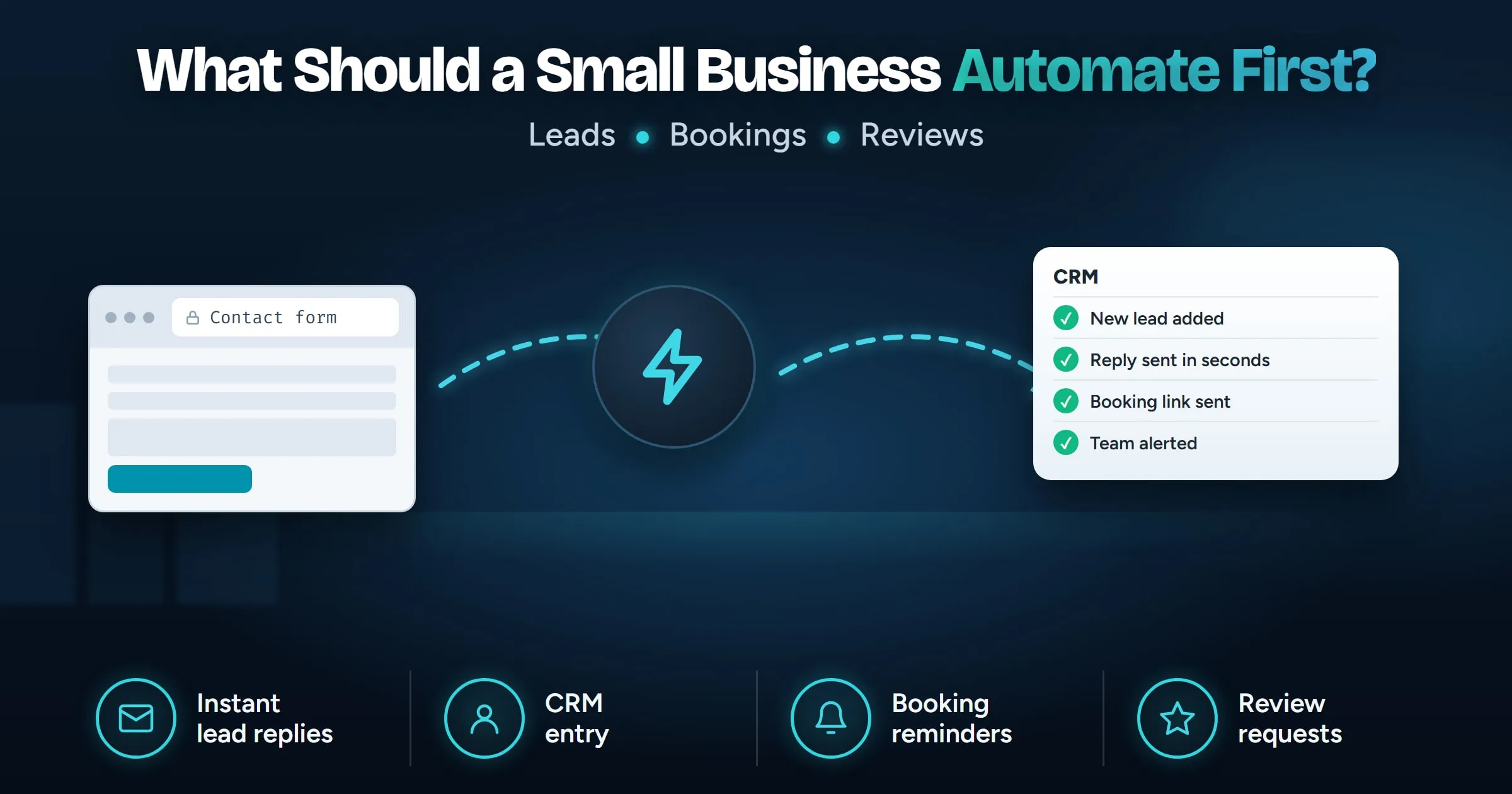
What should a small business automate first?
Most small businesses should automate new lead follow-up first: every enquiry lands in the CRM and gets an instant reply with a way to book. It happens many times a week, follows the same steps every time, and each slow reply can cost a customer. After that, automate appointment reminders, review requests and invoice reminders, and keep anything that needs judgment in human hands.
Last updated
In this guide
Most small businesses should automate new lead follow-up first: every enquiry goes straight into your CRM and the customer gets an instant reply with a way to book. It happens many times a week, it follows the same steps every time, and a slow reply can send a customer to a competitor. Once that works, move on to booking reminders, review requests and invoice reminders.
How do you choose what to automate first?
Score each repetitive task on three questions:
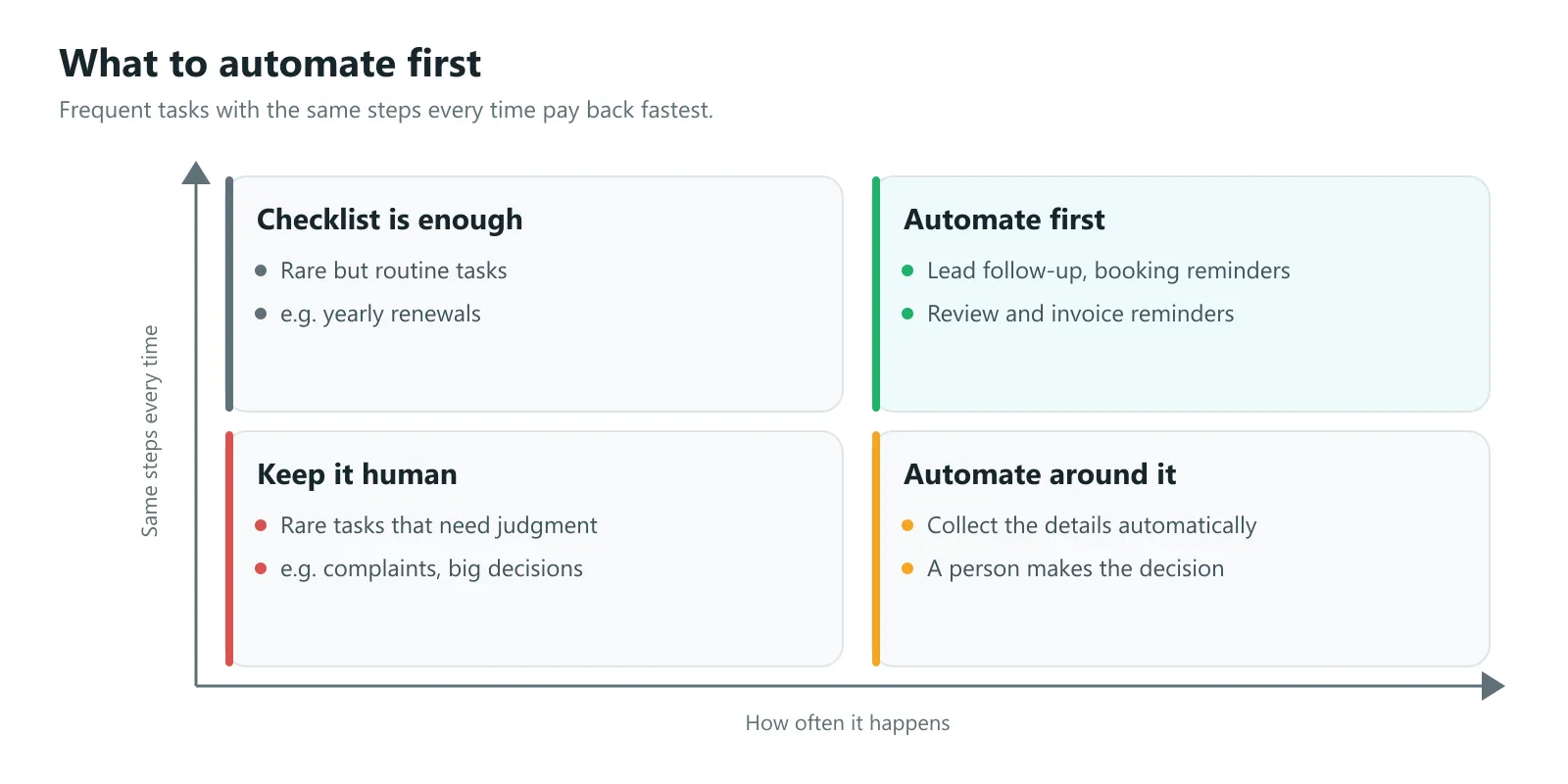
- How often does it happen? Daily or weekly tasks pay back quickly. A task you do twice a year rarely does.
- Is it the same every time? “When a form is sent, add it to the CRM and reply” is easy to automate. “Decide which jobs to quote” is not.
- What does it cost when it is late or forgotten? A lost lead costs more than a late internal note.
The best first automation scores high on all three. For most service businesses, that is lead follow-up.
1. New lead follow-up
The problem: enquiries arrive by web form, email and phone. Someone copies them into a CRM or spreadsheet when they get a moment, and the customer waits hours or days for a reply.
The automation: every form enquiry lands in the CRM with full notes, the customer gets an instant text or email with a link to book a time, and your team gets an alert with the details.
Why first: speed matters. Research published in Harvard Business Review found that most companies are not responding to online leads nearly fast enough. An instant reply means the customer hears from you while they are still deciding, and no lead is lost because someone was on a job.
2. Appointment booking and reminders
The problem: back-and-forth emails to find a time, and no-shows that waste a slot.
The automation: customers book from a calendar link, get a confirmation straight away, and receive a reminder before the appointment with an easy way to reschedule.
3. Review requests after a job
The problem: happy customers would leave a review, but nobody asks at the right moment.
The automation: when a job is marked complete or an invoice is paid, the customer gets a short message with a direct link to leave a Google review. A reminder follows a few days later if they have not.
4. Invoice and payment reminders
The problem: chasing payment is awkward, so it gets put off.
The automation: polite reminders go out on a schedule from your invoicing tool before and after the due date, and stop as soon as the invoice is paid.
5. Internal handoffs
The problem: a sale is closed, but the person who schedules the work finds out late.
The automation: when a deal is marked won, the job is created in your scheduling tool, the right person is notified, and the customer gets a “what happens next” email.
What should you not automate first?
- Anything that needs judgment each time, such as pricing a complex job. Automate collecting the details, and keep the decision human.
- Rare tasks. If it happens twice a year, a checklist is cheaper than an automation.
- A broken process. Automating a messy process makes the mess faster. Map the steps first and fix the order, then automate.
- Sensitive conversations, such as complaints. An instant acknowledgement is fine. The reply should come from a person.
Where does AI help?
AI is useful when the input is messy: free-text enquiries that need sorting by service, emails that need a summary, or common questions that can be answered from your own information. It is not needed for simple rules like “add this form to the CRM”.
Start with plain automation, then add AI only where it saves real time. When AI handles customer data, send it only the details each step needs and keep a person in the loop for anything sensitive.
How do you start?
- Map the steps of the task as it works today, with the people who do it.
- Draw the automated version: what triggers it, what happens at each step, and what happens if a step fails.
- Use the tools you already pay for. Most CRMs, calendars and invoicing tools can be connected with workflow tools such as n8n or Make, without replacing anything.
- Add alerts for failures, so a broken step is noticed before a lead is lost.
- Write it down in plain English, so anyone on the team knows how it works.
- Measure the result for a month, then pick the next task.
That is how we run small business workflow automation projects: we map the workflow with your team and show you a diagram of every step before we build. A first automation, such as lead follow-up, usually takes one to three weeks and is quoted at a fixed price.
Next steps
Pick one task that happens every week, follows the same steps and costs you when it slips. For most businesses that is lead follow-up. If you want help mapping it, book a free 30 minute call and bring the task that eats the most of your week. Leads also need somewhere good to land, so if your site is not bringing in enquiries, read how long it takes to build a website.
Sources
- The Short Life of Online Sales Leads, Harvard Business Review, March 2011
- n8n documentation, n8n